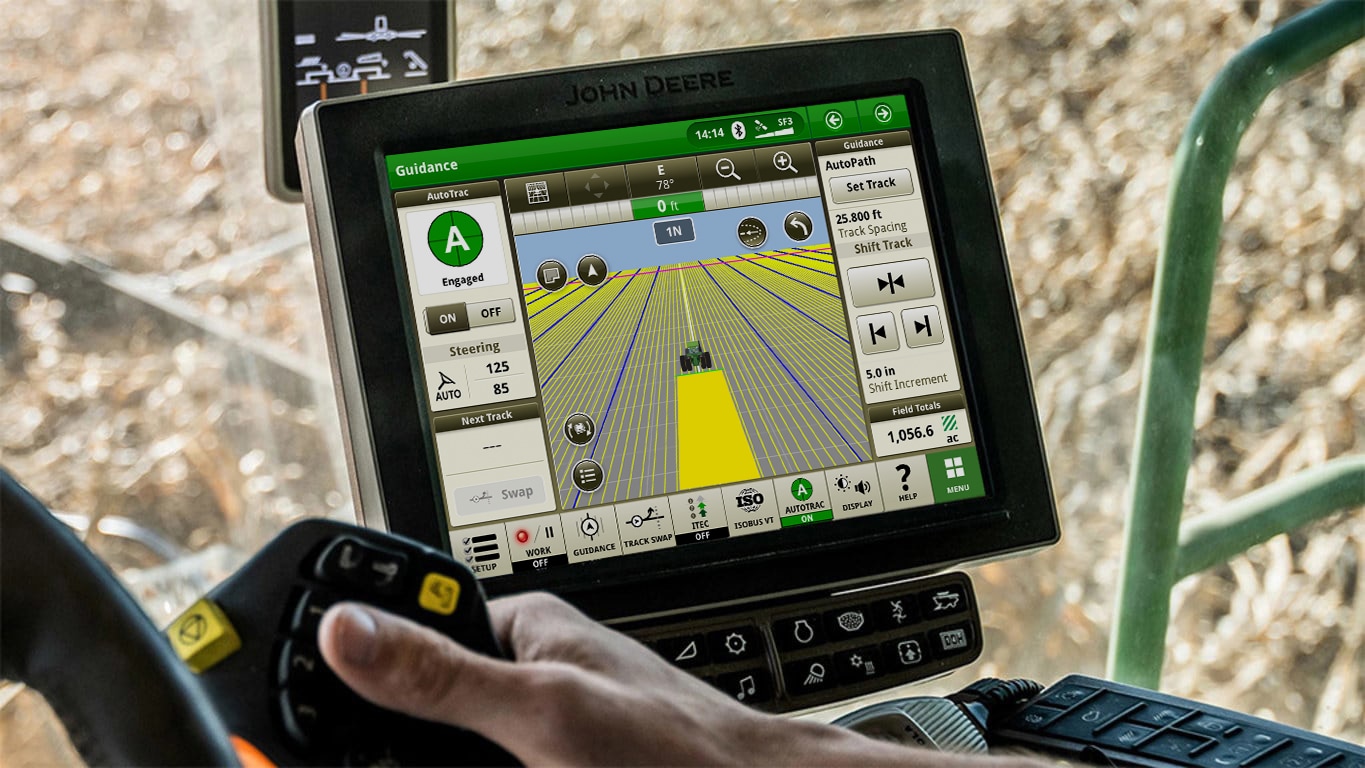
GEN 4 COMMANDCENTER AUTOMATION ACTIVATION
Precision Ag Technology
- Use data from planting or strip till and planting to automatically create full-field guidance lines for secondary passes
- Let AutoTrac Turn Automation take over your turns, implement functions, and speed
- Crush harvest chaos through combine and grain cart controls with Machine Sync
- AutoTrac Implement Guidance places your tool exactly where it needs to be, even on sidehills and around curves
GEN 4 COMMANDCENTER AUTOMATION ACTIVATION Precision Ag Technology FAQs
What is included in the John Deere Gen 4 CommandCenter Automation Activation?
CommandCenter Automation Activation 4.0 bundles all of John Deere's Gen 4 precision ag applications: AutoTrac assisted steering, AutoTrac RowSense, Section Control, In-Field Data Sharing, AutoPath, AutoTrac Implement Guidance (passive), AutoTrac Turn Automation and Gen 4 Machine Sync. You get them in one orderable product instead of licensing each application separately.
Which machines work with the Gen 4 CommandCenter Automation Activation?
It is a non-transferrable display activation compatible with any John Deere machine equipped with a 4600 CommandCenter Display and v2 server. Functionality depends on machine configuration and may need additional hardware, so our team can check your setup before you order.
What does AutoTrac Turn Automation do with the Gen 4 automation activation?
AutoTrac Turn Automation plans and completes precise, repeatable turns at the end of each pass. On tractors it also handles end-of-row speed and implement control, so you can watch the implement and the field instead of managing the turn.
How does AutoPath create guidance lines on a Gen 4 display?
AutoPath maps every row during the first documented pass, such as planting or strip till and planting, and uses that data to build full-field guidance lines for secondary passes like side dress, spraying and harvest. That cuts setup time and crop damage, and operators know which row to start on regardless of equipment width.
Can a dealer activate Gen 4 CommandCenter Automation remotely?
Yes. With a current JDLink Connect subscription and Mobile Telematics Gateway, your John Deere dealer can send activations to a Gen 4 display over the air, with no long activation codes to enter by hand. Planter and platform activations and subscriptions cannot be updated over the air.
Where can I buy genuine parts for my John Deere Gen 4 CommandCenter display?
Koenig Equipment stocks genuine John Deere parts for Gen 4 CommandCenter displays and precision ag systems, and our parts teams across Ohio and Indiana can find what you need for your machine. Choose same-day delivery from a nearby Koenig store or pick up in store.