CONNECT MOBILE Precision Ag Technology FAQs
What is John Deere Connect Mobile?
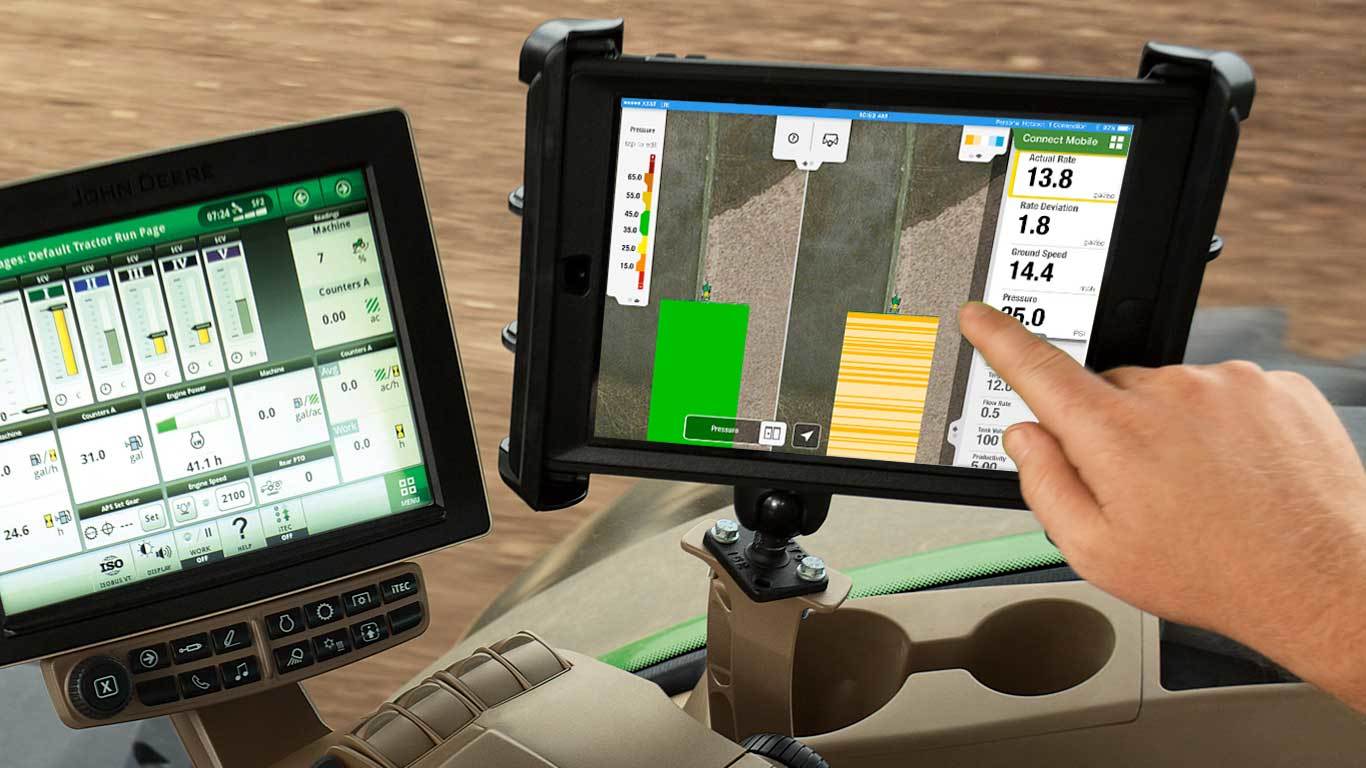
Connect Mobile is an Apple iPad tablet app used in the cab of a John Deere machine to monitor job quality while planting, spraying and harvesting. It shows high-resolution quality maps and performance metrics that are not offered on the in-cab display, and a split-screen view lets you compare two layers at once.
What planting data can I see with John Deere Connect Mobile?
While planting, Connect Mobile shows actual and target population, singulation, seed-spacing CV, applied downforce, gauge wheel margin, ride quality, ground speed and variety. You can set thresholds and get singulation alerts, and Planter Quality Manager shows how each row is performing.
Which John Deere displays work with Connect Mobile?
Connect Mobile works alongside the GreenStar 3 2630, 4600 CommandCenter and 4640 Universal displays. The 4200 CommandCenter and 4240 Universal displays are not compatible, and Connect Mobile cannot be used if the GreenStar 3 2630 is installed as the Precision Ag display.
Does John Deere Connect Mobile help with combine settings?
Connect Mobile harvest monitors rotor speed, fan speed, threshing clearance, chaffer and sieve openings, moisture and yield in real time. On FT4 S Series combines that support it, Interactive Combine Adjustment recommends and makes adjustments for the performance issue you select.
Can Connect Mobile warn me about obstacles in the field?
Yes. Flag proximity notifications let you set a perimeter around flags that mark obstacles, and the iPad plays a tone and shows a Flag Nearby banner when equipment enters it. Flags, notes and photos can also be sent to Operations Center for other machines and apps.
Where can I buy genuine parts for my John Deere Connect Mobile setup?
Koenig Equipment stocks genuine John Deere parts for Connect Mobile and precision ag systems, and our parts teams across Ohio and Indiana can find what you need for your machine, including retrofit kits. Choose same-day delivery from a nearby Koenig store or pick up in store.